5 Best Expense Management Software in 2026
The best expense management software should make expense reporting easier without giving finance less control. Employees need a simple way to capture receipts and submit expenses, while finance teams need clear approvals, policy controls, card reconciliation, reporting, and accurate accounting data.
Team size, approval structure, corporate cards, travel, accounting systems, integrations and reporting needs all affect which solution will work best. These requirements become more important as a business adds entities, locations, currencies, or finance systems. We compare five expense management platforms by features, benefits, potential drawbacks, pricing and overall fit.
Our top five expense management software platforms for 2026 are ExpensePoint, SAP Concur, Ramp, Navan and Expensify. ExpensePoint stands out for organizations that need configurable approval workflows, support for existing corporate cards, multi-entity capabilities and broad finance integrations, while the other platforms may be better suited to specific needs such as card-led spend management, business travel or smaller teams.
The Best Expense Software at a Glance
The table below shows the main use case, pricing approach, and key strength of each platform. The right choice will still depend on setup needs, integrations, and the way your finance team works.
| Software | Best for | Pricing | Standout strength |
|---|---|---|---|
| ExpensePoint | Growing, multi-entity, and complex organizations | Custom quote | Flexible workflows, existing-card support, and 150+ integrations |
| SAP Concur | Broad enterprise travel and expense programs | About US$7/report Base, about US$11/report Plus, Premium custom | Established T&E ecosystem |
| Ramp | Card-led spend management | Free, Plus US$15/user/month plus a platform fee, Enterprise custom | Cards and finance automation in one platform |
| Navan | Travel-heavy organizations | For companies up to 300 employees: Travel free, Expense free for the first 5 monthly users, then US$15/user/month | Integrated travel and expense |
| Expensify | Smaller teams and straightforward expense workflows | Collect US$5/member/month, Control custom and as low as US$9/active member/month | Simple entry point for everyday expense reporting |
Pricing reflects each vendor's publicly listed rates and is subject to change. Verify current pricing directly with the vendor.
What Is Expense Management Software?
Expense management software is a digital system for capturing, reviewing, approving and recording employee business expenses. It replaces paper receipts, spreadsheets, and email-based approvals with a shared workflow.
Employees can submit expenses from a browser or mobile app, managers can review claims online, and finance teams can apply policy rules, reconcile card activity, and keep supporting records in one place.
Benefits of Automated Expense Management
Automated expense management works best when it removes repetitive tasks and helps finance spot issues sooner. The biggest gains usually come from data entry, receipt handling, approvals, reconciliation and reporting. The savings become more noticeable as expense volume grows. The goal is simple: less manual work and a cleaner, more controlled process.
Faster card reconciliation
Card feeds and receipt matching create a clearer path from transaction to approved expense record.
Less manual entry
Receipt reading and transaction matching reduce re-keying.
Earlier policy checks
Rules can flag exceptions and send them for review sooner.
Clearer spend visibility
Dashboards and reports make spending easier to review.
More room to grow
Multi-entity, multi-currency, and integration support can reduce the need to redesign the process later.
Top 5 Expense Management Software Solutions for 2026
No single expense management platform is the right choice for every business. When comparing the best spend management software or best employee expense management software, look at how each option handles approvals, integrations, card reconciliation, travel, reporting and day-to-day use.
1. ExpensePoint
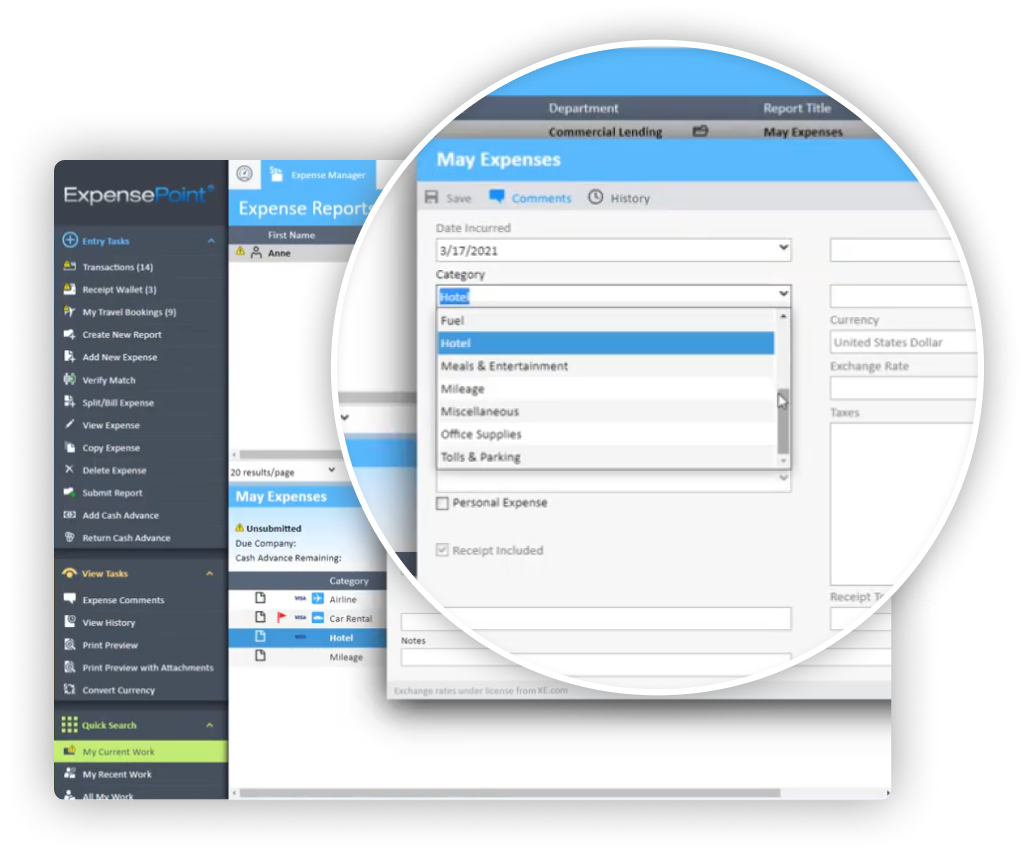
ExpensePoint is built for mid-sized and more complex organizations that need strong controls without making expense reporting difficult for employees. Staff can capture receipts and submit expenses from the web or mobile app. Finance teams can manage approvals, policy rules, card reconciliation, mileage, coding and reporting in one system. The platform also supports multiple entities, GPS mileage tracking, and offline mobile use.
ExpensePoint can import card activity, match transactions to receipts, and send approved data into existing finance systems. Standard and custom outputs are also available for specific GL and reporting needs.
One of ExpensePoint's key differences is that organizations do not need to replace their existing corporate card program to use the platform. This can make it particularly useful for established finance teams that want better expense automation without changing banking relationships or issuing a new vendor-specific card.
Key features
- OCR-powered receipt capture with web and mobile expense filing.
- Card-agnostic corporate card integrations, transaction feeds and receipt matching.
- Flexible policies and multi-step approvals by role, department, project or entity.
- GPS mileage tracking, offline mobile use, multi-currency support, and 36+ reports.
- 150+ integrations across accounting, ERP, cards, banking, HR and payroll, plus standard and custom outputs.
Main Benefits
- Flexible approvals across entities, projects, and cost centers.
- Onboarding, training, and live support included.
- Works with existing corporate card programs rather than requiring a vendor-issued card.
- 150+ integrations help connect expense data with existing accounting, ERP, banking, HR and payroll systems.
Potential Drawbacks
- Pricing requires a custom quote.
- Best suited to teams of about 25+ users.
- Organizations looking for a card-first platform may prefer a provider built around its own card program.
Pricing and Plans
Pricing is quote-based rather than shown as one flat rate. ExpensePoint offers monthly, yearly, and per-report subscription options. Ask for a final quote based on your team size, setup, and integration needs.
Overall
ExpensePoint may suit organizations that need flexible expense controls, multi-entity support, and broad finance integrations without being tied to a vendor-issued corporate card. Pricing requires a tailored quote, while onboarding, implementation, training, and customer support are included.
2. SAP Concur
SAP Concur is a long-standing enterprise travel and expense platform. It includes expense reporting, policy checks, approvals, and reimbursements. Higher tiers add more travel and reporting features.
Key features
- Receipt capture and automated expense data entry.
- Policy checks and structured approval workflows.
- Employee reimbursement and reporting.
- Travel capabilities on its Premium tier.
Main Benefits
- Travel and expense in one enterprise platform.
- Broad, mature T&E capabilities.
Potential Drawbacks
- Per-report pricing may be less predictable.
- Advanced features require Premium.
Pricing and Plans
About US$7 per report for Base and US$11 per report for Plus. Premium uses custom pricing.
Overall
SAP Concur remains a well-established option for larger organizations with broad travel and expense requirements. Its per-report pricing and custom-priced higher tiers may require closer cost planning.
3. Ramp
Ramp combines corporate cards with expense management, reimbursements, bill pay, travel, and accounting tools. The platform is built around its card program.
Key features
- Physical and virtual corporate cards with spend controls.
Receipt collection, matching and expense workflows.
Reimbursements, bill pay, and accounting automation.
Travel and advanced automation on paid tiers.
Main Benefits
- Travel and expense in one enterprise platform.
- Broad, mature T&E capabilities.
Potential Drawbacks
- Advanced features require paid plans.
- Less flexible for existing card programs.
Pricing and Plans
Free at US$0 per user. Ramp Plus is US$15 per user per month plus a platform fee based on team size. Enterprise is custom.
Overall
Ramp may suit businesses that want corporate cards and spend controls at the center of the expense process. Organizations that prefer to keep existing card programs or need deeper multi-entity flexibility may want to compare it with more card-agnostic platforms.
4. Navan
Navan combines corporate travel booking with expense management. It includes travel policies, receipt capture, reimbursements, and connected card activity. It may suit organizations with frequent business travel. For buyers comparing the best travel expense management software, its travel-led model is worth considering.
Key features
- Business travel booking and configurable travel policies.
- 24/7 travel support.
- Receipt scanning, reimbursements and expense workflows.
- Corporate card connections and ERP integrations.
Main Benefits
- Travel booking and expenses in one workflow.
- Strong fit for travel-heavy teams.
Potential Drawbacks
- Less compelling for low-travel teams.
- Enterprise pricing requires a quote.
Pricing and Plans
For companies with up to 300 employees, Navan Travel is free. Navan Expense is free for the first five monthly expensing users, then US$15 per user per month. Enterprise pricing is custom.
Overall
Navan is most relevant when travel is a major part of the expense program. Its combined travel and expense approach can reduce handoffs between booking, employees, and finance. It is also relevant when comparing the best travel and expense management software, although organizations with limited travel needs may not need a travel-led platform.
5. Expensify
Expensify focuses on receipt capture, reimbursements, cards and day-to-day expense reporting. Collect covers common small-team needs. Control adds more advanced approvals, ERP integrations, SSO and reporting. It can also be relevant for buyers comparing the best expense management software for small business.
Key features
- Receipt scanning and expense approvals.
- Employee reimbursements and corporate card management.
- Travel booking and rules.
- QuickBooks and Xero integrations, with broader ERP support on Control.
Main Benefits
- Simple entry point for smaller teams.
- Simple setup and self-serve pricing
Potential Drawbacks
- Advanced controls require the Control plan.
- Control pricing varies by plan and card usage.
Pricing and Plans
Collect is US$5 per member per month. Control uses custom pricing and can be as low as US$9 per active member per month under qualifying conditions.
Overall
Expensify can work well for smaller teams with straightforward expense needs. Businesses that need more advanced controls, ERP support or complex approval structures will likely need the Control tier or a more configurable platform.
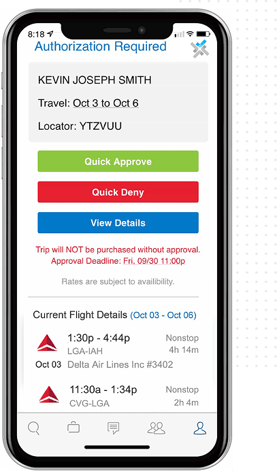
Easy Automation & Approval
- Create policy spend limits.
- Flag out-of-policy bookings.
- Automate routing and understand decline reasons instantly.
- Save up to 30% with better compliance.
Real-Time Savings
- Recover unused tickets in real time.
- Auto-rebook cheaper alternatives.
- Save over $139 per trip.
Which Expense Management Software Is Best for Your Business?
Choose ExpensePoint if your organization needs configurable approval workflows, multi-entity support, broad finance integrations and the ability to continue using existing corporate cards. It is particularly well suited to growing and more complex organizations with approximately 25 or more users.
Choose SAP Concur if you need an established enterprise travel and expense ecosystem and are comfortable with its per-report pricing structure. Choose Ramp if corporate cards and card-led spend controls are central to what you want from the platform. Navan is particularly relevant for organizations with frequent business travel, while Expensify provides a simpler entry point for smaller teams with relatively straightforward expense reporting needs.
What to Compare Before You Choose the Best Expense Software
Choosing expense software is less about finding the longest feature list and more about finding a platform that works with your finance process. Compare how each system handles the areas that affect day-to-day use, control and implementation.
Employee Expense Experience
Employees should be able to capture receipts and submit expenses quickly from web or mobile. The fewer manual steps involved, the less time finance spends chasing missing receipts or incomplete reports. Mobile access also matters for traveling and field-based teams.
Policy and Approval Controls
Look for policy rules and approval workflows that can match your existing structure. You may need different limits or approvers by employee, department, project or entity. Exceptions should be easy to identify and route for review.
Corporate Card Reconciliation
The platform should import transactions from the corporate cards you already use and match them with receipts or expense records. Finance should be able to spot missing documentation and unmatched charges quickly. This reduces manual reconciliation work at month-end.
Finance System Integration
Approved expenses should move into your accounting or ERP system with the right coding and supporting records. Check whether the platform connects with your current finance systems and supports the fields or mappings you need. Strong integrations reduce duplicate data entry.
Multi-Entity Workflow Complexity
If your business operates across several entities, currencies, or locations, make sure the platform can handle different policies, approval paths, and accounting codes. Finance should still be able to maintain consistent oversight across the organization. You should not need separate manual processes for every entity.
Implementation and Support
Look beyond the software itself. Check what is included for onboarding, configuration, integrations and training. Reliable support is especially important when card feeds, approval rules or finance systems change after launch.
Choose for the Expense Process You Actually Have
The best expense platform should support the way your finance team already works, including how expenses are approved, how cards are managed, and how data reaches the general ledger. A simple tool may be enough for a small team. Larger or multi-entity organizations usually need more control, stronger integrations, and room to handle different workflows without adding extra admin.
The key is to match the software to the process, not the other way around. Organizations that want to keep existing card programs while adding configurable approvals, multi-entity support and broad finance integrations may find ExpensePoint worth a closer look. Book a personalized demonstration to review GPS tracking, manual trip entry, multiple stops, distance calculation, reimbursement rates, personal mileage, coding, approvals and reports.
Strategic Travel Consulting
- Benchmark your spend against industry peers.
- Model global savings with “what if” analytics.
- Adjust policy with confidence and prove ROI.
Save up to 39% and triple your ROI with a smarter travel strategy.
Frequently Asked Questions About the Best Expenses Software
What is the best expense management software in 2026?
There is no single best expense management software for every organization. ExpensePoint is our top choice for growing and complex organizations that need flexible approvals, multi-entity support, existing-card compatibility and broad finance integrations. SAP Concur, Ramp, Navan and Expensify may be better suited to businesses with different priorities, such as enterprise travel, card-led spend management or simpler small-team expense reporting.
What is the best expense management software for small businesses?
The best expense management software for a small business depends on its size and complexity. Expensify can provide a straightforward entry point for smaller teams, while growing businesses with more complex approval workflows, multiple entities or established corporate card programs may need a more configurable platform such as ExpensePoint.
What is the best expense report software for growing organizations?
The best expense report software should make submissions easy for employees while giving finance clear approvals, policy controls, card reconciliation, reporting and accounting integrations.
What is the best software to track expenses?
The best software to track expenses should fit how employees submit costs and how finance reviews, codes and reconciles them. Mobile capture, clear controls, and accounting integration are key.
What is the best web expense manager?
ExpensePoint is a strong web expense manager for organizations that need browser and mobile expense submission, configurable approvals, card reconciliation, reporting and finance integrations. Other options such as Expensify may be better suited to smaller teams, while Navan is particularly relevant for businesses with significant travel requirements.
What is the best employee expense management software for complex teams?
The best employee expense management software should be easy for employees and give finance clear approvals, policy controls, card reconciliation, reporting, and integrations. Multi-entity organizations should also check how well the platform handles different workflows and accounting structures.